Unsupported or Aging Versions
Older Teamcenter environments can create security, compliance, and supportability concerns while limiting access to current Siemens capabilities.
CloudZen Expertise
A Teamcenter upgrade is not only a technical version change. It is an opportunity to improve
platform stability, maintain supportability, align customizations and integrations, and prepare
the PLM environment for future business requirements, new Siemens capabilities, and changing
infrastructure standards.
Running an aging or unsupported Teamcenter environment introduces more than technical
limitations. It creates operational risk, weakens supportability, complicates infrastructure
planning, and makes future transformation harder.
CloudZen delivers Teamcenter upgrades through a structured, low-risk, business-aware approach
that combines technical depth with careful planning, remediation, testing, and cutover control.
Older Teamcenter environments can create security, compliance, and supportability concerns while limiting access to current Siemens capabilities.
Operating systems, databases, browsers, and related components may no longer align cleanly with the target Teamcenter version.
Legacy BMIDE, ITK, SOA, workflow logic, and client-side customizations often require detailed review and remediation during upgrade execution.
ERP, CAD, Active Workspace, T4S, and adjacent enterprise connections must be retested and validated to protect business continuity.
Many organizations lack confidence in cutover windows, fallback planning, and production stabilization during a major upgrade.
Upgrade programs often compete with day-to-day operations, leaving too little bandwidth for parallel testing, remediation, and release readiness.
Move to a supported Teamcenter release aligned with future Siemens capabilities and evolving infrastructure standards.
Reduce technical debt and strengthen platform reliability through structured remediation and validation.
Execute upgrades with a controlled plan for testing, downtime management, and rollback readiness.
Prepare the PLM environment for cloud readiness, process modernization, and future digital initiatives.
Why CloudZen
We position Teamcenter upgrades as controlled business transformations, not just technical installations. Our approach balances system modernization with stakeholder confidence, operational continuity, and platform readiness.
We account for the real complexity of Teamcenter environments, including BMIDE, ITK, SOA, workflows, ERP connections, CAD interfaces, Active Workspace, and T4S dependencies.
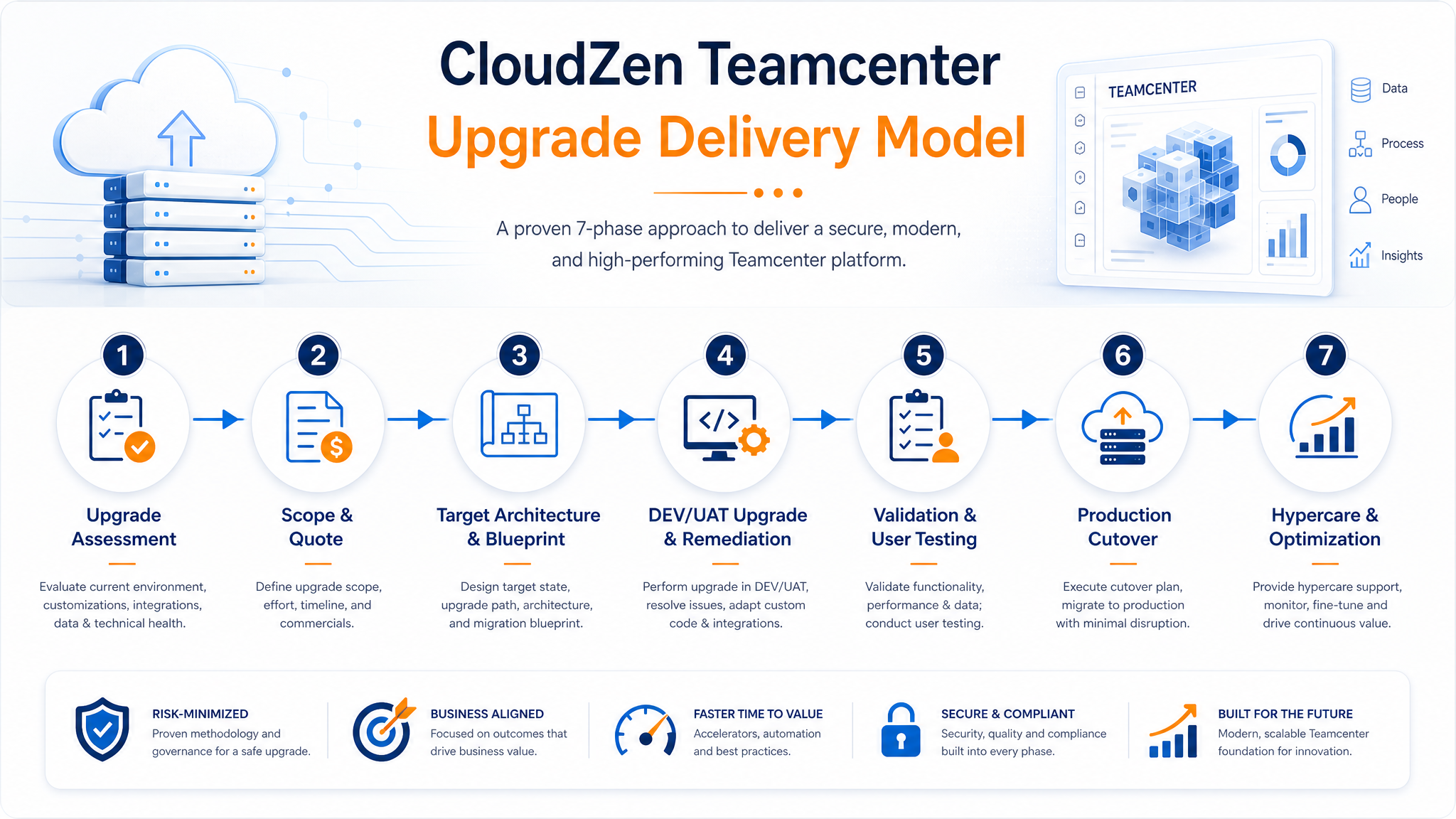
CloudZen brings senior consulting involvement across assessment, planning, remediation, validation, cutover, and hypercare.
Our delivery model emphasizes sandbox execution, controlled testing, rollback awareness, and production cutover discipline to reduce disruption.
The offering is structured to move cleanly from initial assessment and quote definition into implementation, testing, go-live, and optimization.
CloudZen combines the professionalism and structure expected from a major consulting firm with the technical detail, senior involvement, and delivery transparency of a specialist Teamcenter partner.
Get a practical first estimate based on your current Teamcenter release, architecture, environments, integrations, and customization footprint.
Let's discuss how CloudZen can accelerate your digital journey. Free initial consultation — no strings attached.