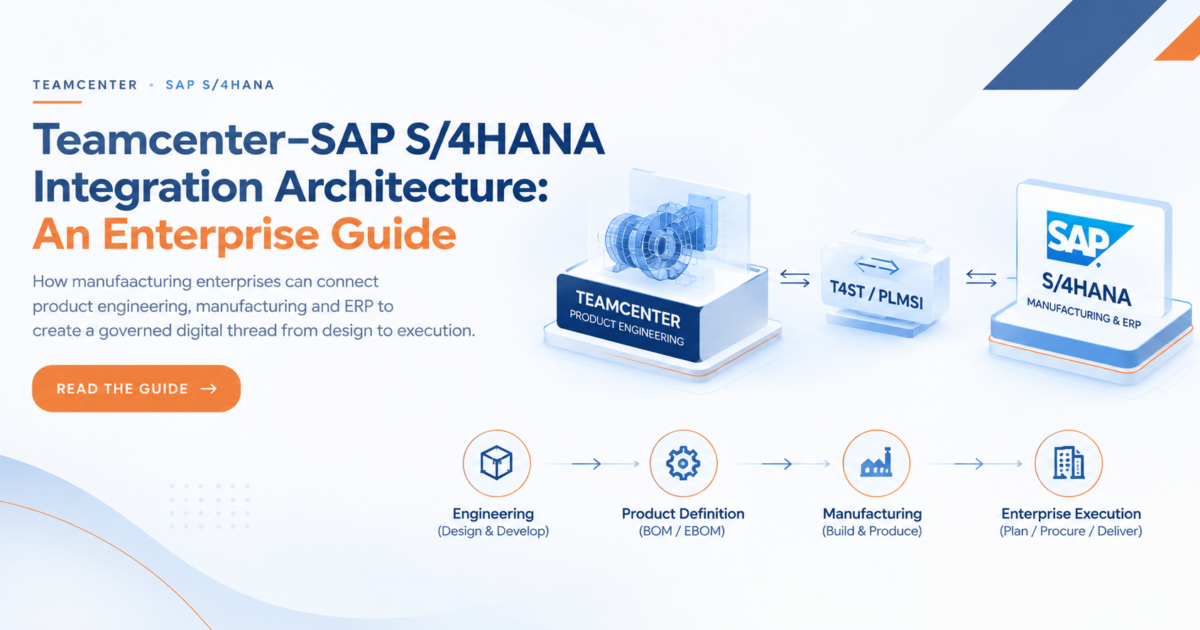
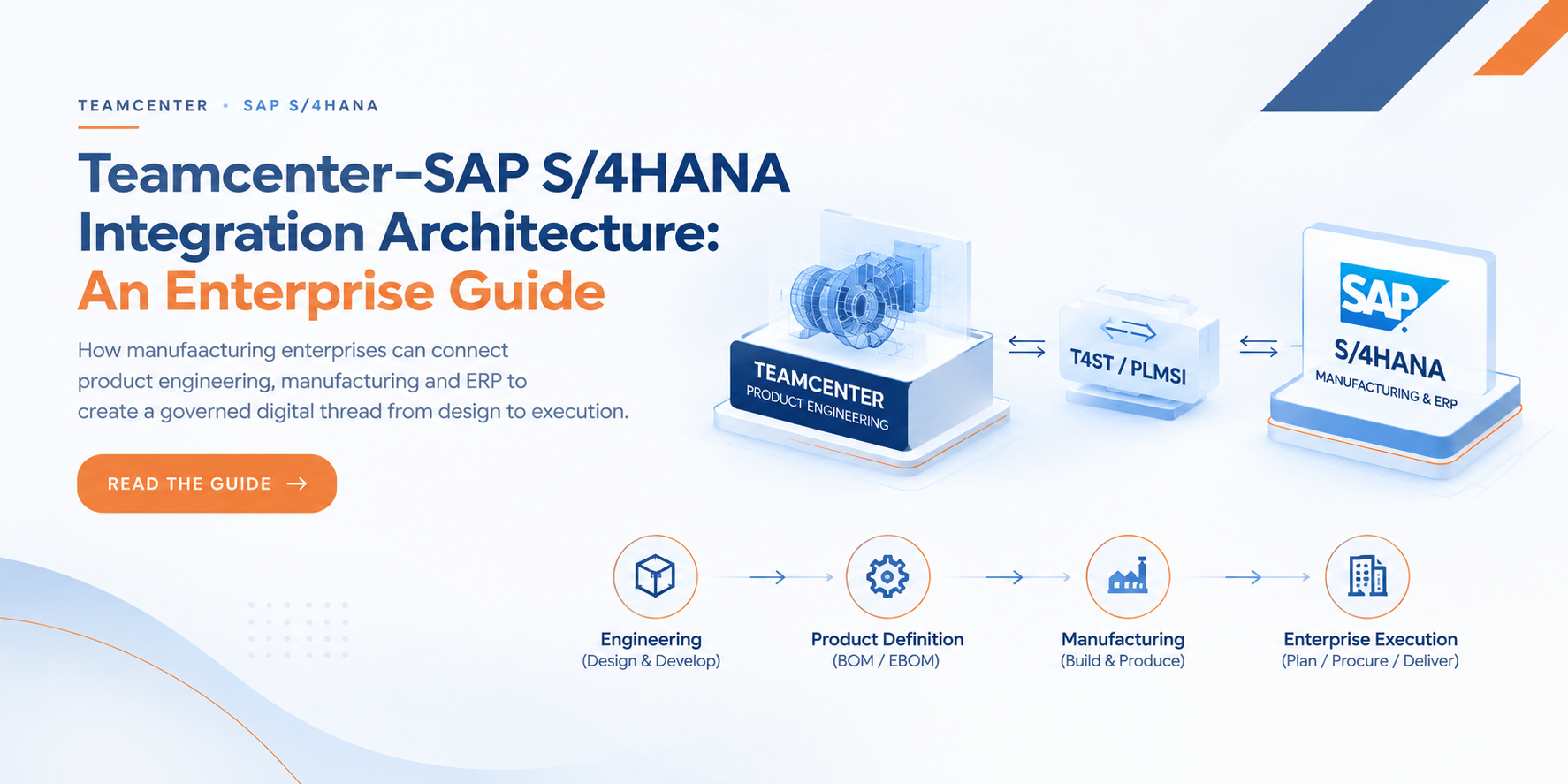
How manufacturing enterprises can connect product engineering, manufacturing and ERP to create a governed digital thread from design to execution.
Teamcenter–SAP S/4HANA Integration: Why Architecture Matters
For manufacturing enterprises, Teamcenter and SAP S/4HANA often sit at the center of two different worlds.
Teamcenter manages product and engineering information. SAP S/4HANA manages enterprise and operational processes. The business challenge is connecting these worlds without creating duplicate data, disconnected processes or unclear ownership.
Modern Teamcenter–SAP S/4HANA integration is designed to support bi-directional data and process integration, using PLM System Integration for SAP S/4HANA (PLMSI), Teamcenter Gateway for PLM System Integration (T4ST), and an aligned Meta Domain Model.
But successful integration is not just a technology decision. For a CIO or CTO, it is an enterprise transformation decision. For an Enterprise Architect, it is a systems and data architecture decision. For a Head of Delivery, it is a program execution and governance decision. For a PLM/SAP leader, it is a process and data ownership decision.
The objective is to create a connected digital thread from Engineering → Product Definition → Manufacturing → Enterprise Execution.
1. The Enterprise Architecture
A simplified view of the landscape:
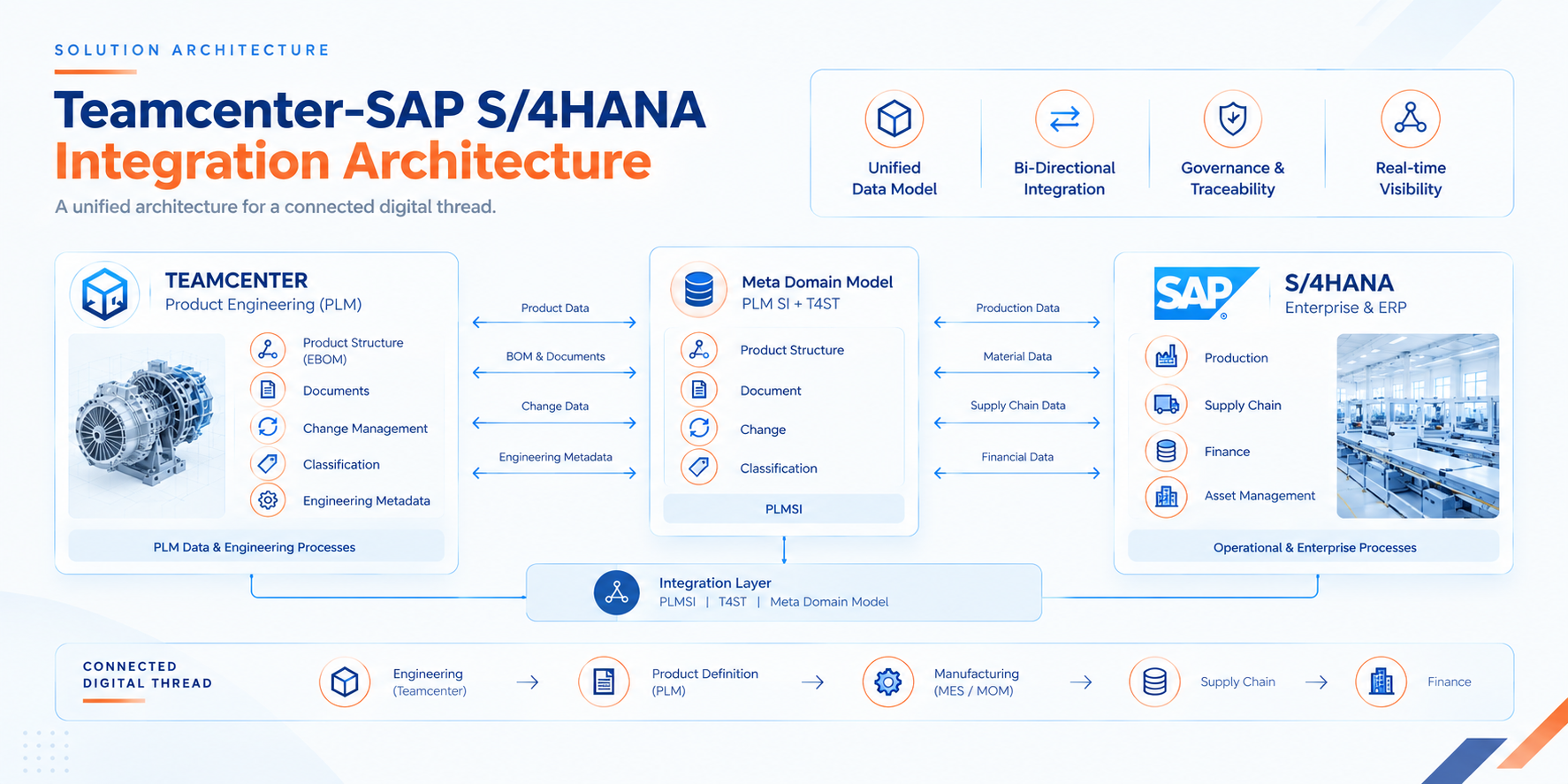
SAP describes the Meta Domain Model as an intermediate abstraction that provides the foundation for traceability, federation and linkage across system boundaries.
The important point for enterprise leaders is that the integration is not simply Teamcenter → SAP. It is engineering processes → governed enterprise processes.
2. Start With Business Processes, Not Interfaces
Before deciding how systems should connect, define what the business needs to achieve. Typical scenarios include:
- New Product Development & Introduction
- Major and Minor Engineering Changes
- Formal Change
- Make-to-Stock
- Configure-to-Order
- Production Planning
- Manufacturing Engineering
- Variant Configuration
SAP currently documents these scenarios as part of the supported Teamcenter integration landscape.
For CIO / CTO
Ask: What business outcome are we trying to improve?
For Enterprise Architecture
Ask: Which systems and processes must participate?
For Delivery Leadership
Ask: What capabilities, dependencies and implementation phases are required?
This prevents the program from becoming an interface-development exercise.
3. Establish Data Ownership
One of the most important enterprise decisions is: which system is authoritative for which information? A typical model could look like:
| Information | Primary domain |
|---|---|
| Product definition | Teamcenter |
| Engineering revision | Teamcenter |
| EBOM | Teamcenter |
| Enterprise material | SAP |
| Manufacturing execution | SAP |
| Engineering change | Cross-system |
| Manufacturing engineering | Teamcenter / SAP depending on scenario |
The exact ownership must be determined by the enterprise's processes. The objective is to avoid creating two competing sources of truth.
4. Decide What Should Move Between Systems
Not everything in Teamcenter needs to be replicated into SAP. The architecture should distinguish between:
Replication — information required by downstream SAP processes is transferred and maintained where needed.
Federation — relationships and relevant information remain connected across system boundaries without unnecessary duplication.
SAP explicitly identifies data federation as part of its Teamcenter integration architecture. This matters because uncontrolled replication increases:
- Data governance effort
- Synchronization complexity
- Maintenance cost
- Risk of inconsistent information
5. Connect the Engineering-to-Manufacturing Digital Thread
For manufacturing organizations, the real value extends beyond material and BOM transfer. A broader flow can be:
Product Design → EBOM → Engineering Change → Manufacturing Engineering → MBOM / BOP → SAP Production → Enterprise Operations
SAP documents Teamcenter scenarios where Teamcenter can operate as a manufacturing engineering system, including transfer of MBOM and BOP information to SAP. This creates an important opportunity for enterprise leaders: connect engineering decisions with downstream manufacturing consequences.
6. Make Change Management a Cross-Enterprise Process
A product change rarely affects one object. It can impact: Part → Revision → BOM → Document → Material → Manufacturing. The architecture must therefore preserve:
- Change identity
- Revision
- Effectivity
- Impacted objects
- Approval status
- Release status
SAP supports multiple Teamcenter–SAP change scenarios, including NPDI, Major Change, Minor Change and Formal Change. The leadership question becomes: how quickly and reliably does an approved engineering change become available to the people and processes that depend on it?
7. Govern Mapping and Traceability
Integration quality is determined not only by whether objects move, but whether their meaning is preserved. The architecture needs governance for:
- Field mapping — Teamcenter attributes → SAP attributes.
- Value mapping — Teamcenter values → SAP values.
- Key mapping — Teamcenter object → corresponding SAP object.
- Traceability — the ability to understand the relationship between the two systems.
SAP identifies key mapping, field/value mapping and aligned code lists as important architectural elements. For enterprise IT leadership, this becomes a governance question: who owns the integration rules when business processes change?
8. Design for Operational Governance
A production integration must be observable. SAP provides monitoring and troubleshooting capabilities for synchronization workflows and jobs between Teamcenter and SAP, including status visibility and log information. The enterprise operating model should define:
- Who monitors integrations?
- Who owns failures?
- How are errors escalated?
- How are transactions reprocessed?
- How are business users informed?
- What KPIs measure integration health?
This is where delivery architecture becomes operational architecture.
9. What Each Enterprise Leader Should Evaluate
CIO / CTO
- Business case
- Digital thread strategy
- Technology investment
- Enterprise scalability
- Risk and governance
Enterprise Architect
- Target architecture
- System-of-record strategy
- Integration boundaries
- Data model
- Security and extensibility
PLM / SAP Leader
- Business processes
- BOM/material/document/change flows
- Data ownership
- User adoption
Head of Delivery
- Implementation roadmap
- Dependencies
- Testing
- Migration
- Deployment
- Hypercare
- Operational support
Manufacturing Leadership
- EBOM → MBOM
- Manufacturing engineering
- Production planning
- Plant-specific requirements
- Change impact
10. Business Outcomes
The purpose of Teamcenter–SAP integration is ultimately business performance, not simply system connectivity. A well-designed architecture can help enterprises achieve:
1. Faster engineering-to-manufacturing handover
Reduce manual transfer between engineering and manufacturing.
2. Better product data consistency
Maintain governed information across PLM and ERP.
3. Faster change propagation
Connect engineering changes with downstream enterprise processes.
4. Reduced data duplication
Use controlled synchronization and federation instead of unnecessary replication.
5. Improved cross-functional visibility
Give engineering, manufacturing and business teams better access to connected information.
6. Stronger digital thread
Connect product development with manufacturing and enterprise execution.
7. More scalable integration governance
Establish reusable architecture, mappings, monitoring and ownership models.
SAP and Siemens position Teamcenter–SAP integration around connecting product development, manufacturing and enterprise processes and enabling a digital thread across the lifecycle.
Conclusion
Teamcenter–SAP S/4HANA integration should not be approached as a standalone interface project. It is an enterprise transformation architecture connecting product engineering with manufacturing and business execution. The critical decisions are straightforward: What should be connected? Who owns the data? What should be replicated or federated? How should engineering changes flow? How will the integration be governed and operated?
When these decisions are aligned across business, technology, architecture and delivery teams, Teamcenter and SAP S/4HANA can become connected components of a broader digital thread rather than isolated enterprise systems. The end goal is not simply “integrate Teamcenter with SAP.” It is to create a connected, governed flow of product and manufacturing information from engineering to enterprise execution.
Planning a Teamcenter–SAP S/4HANA Integration?
CloudZen helps manufacturing enterprises assess their PLM–ERP landscape, define data and process ownership, design target integration architecture, establish governance and deliver Teamcenter–SAP S/4HANA integration programs.
Frequently Asked Questions
1. What is Teamcenter–SAP S/4HANA integration?
It is an integration architecture that connects Siemens Teamcenter with SAP S/4HANA to exchange and synchronize product, engineering and enterprise data — materials, BOMs, documents, classification and engineering changes — across supported business processes, with governance and traceability.
2. What are PLMSI and T4ST?
PLMSI (PLM System Integration for SAP S/4HANA) is the SAP-side component; T4ST (Teamcenter Gateway for PLM System Integration) is the Teamcenter-side component. They are installed and run together and communicate over REST/JSON.
3. What is the Meta Domain Model?
An intermediate, business-oriented model between Teamcenter and SAP. It decouples the two systems so each can evolve independently, and it underpins traceability, federation and reduced replication across the boundary.
4. What data can be integrated between Teamcenter and SAP?
Depending on the scenario and configuration: materials, BOMs, documents, classification, engineering changes, and manufacturing and variant information. The exact object mapping depends on the selected process scenario.
5. Is Teamcenter–SAP integration one-way or bi-directional?
It supports bi-directional process integration, though the direction and behaviour depend on the specific business object and scenario.